 For Android
Age App for Android
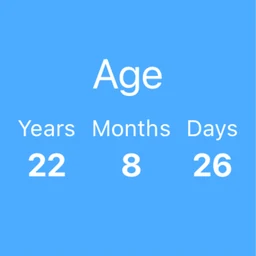
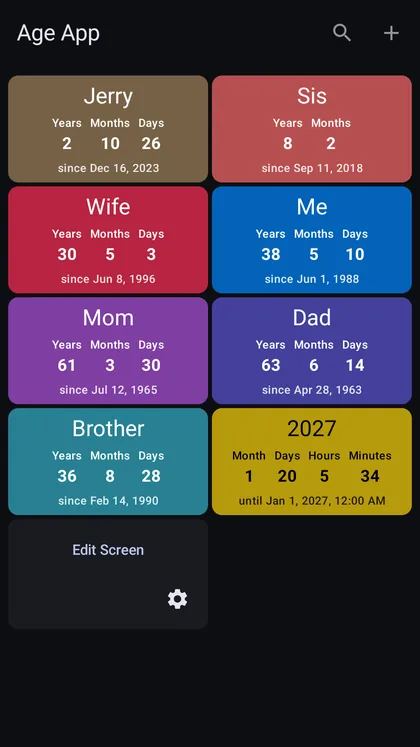
Not a calculator. Not a countdown factory. A board of everything you are counting — each one a card showing how long it has been, or how long is left, in years, months and days, counted the way a calendar counts.
On iPhone, iPad or Mac? The App Store edition is built for Apple devices.
The film, 28 seconds, opens on YouTube. The wide version (opens in a new tab) is there too.
What it does on Android
-
01
One board, your cards
Your daughter, the dog, the day you met, the trip in March: each a card with its date, a note if it wants one and colours from twenty-four swatches. Rearrange the board by dragging, or have it sorted by date. Switch on time for a card and it ticks live, down to the second.
-
02
Show someone
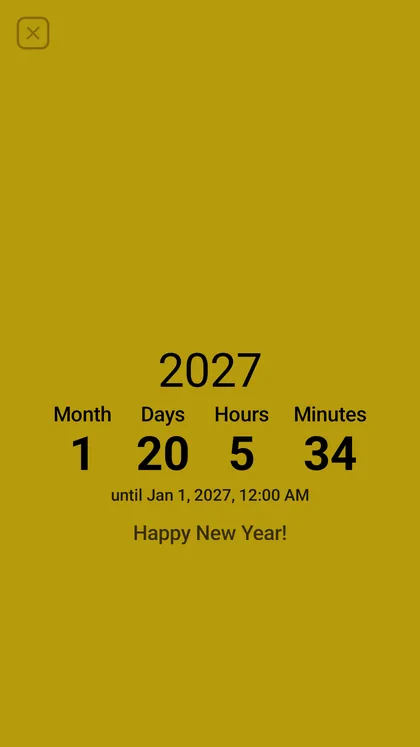
Tap a card and it fills the screen, ticking, with its note beneath it and nothing else around it. Pinch to make it larger — the “how old is she now?” mode. Hand the phone over.
-
03
Counted the way a calendar counts
Years, months and days are the calendar's own, not a number of days divided up. Leap days, months of different lengths and the nights the clocks change are counted as they fall, so a card turns over on the day it should.
-
04
On your home screen
Any card as a widget, in its own colours, as many as you like. A widget shows whole days and says which way it rounds — “under 4 months” — so what it shows is true whenever you look. Long-press the icon for the cards you presented most recently.
-
05
Say it instead of typing it
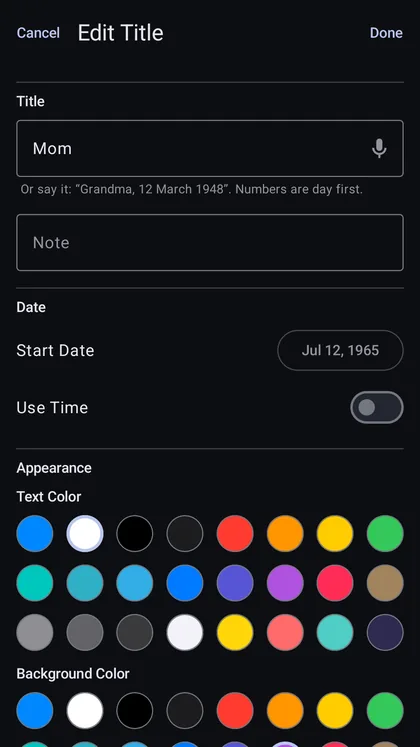
On Android 12 and later, tap the microphone in the editor and say “Grandma, 12 March 1948”: the card is filled in for you to check and save. Recognition runs on your phone; nothing is recorded or sent.
-
06
One purchase, once
Free, and staying free: a board of twelve cards, every widget, notes, saying a card, export and import, the calendar hand-off, All data and Erase. One purchase, never a subscription, adds unlimited cards, search across titles and notes, and duplicating a card.
It counts; what it counts is yours
-
Made to be handed over
A card you tap is the whole screen and nothing else: the count, large, and with time switched on, ticking. It is made for holding out across a table, so everyone in the room can read it.
-
Everything a card needs
A card is a title, a date, a note if it wants one, and a text and background colour from twenty-four swatches. That is all a card needs, and all the app asks of you: no profile, no account, nothing to fill in about yourself.
-
Nothing lost by accident
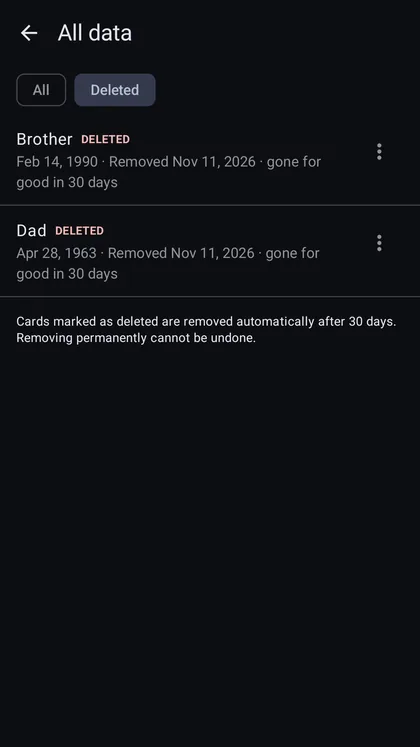
A card you delete waits in All data for thirty days before it is gone for good, and the whole board exports to a file you can import again. There is no sync and no cloud of ours; Android's own backup carries the board to a new phone.
The Android edition
| Platforms | Android phones and tablets, a home-screen widget, app shortcuts |
|---|---|
| Requires | Android 8.0 or later |
| Category on Google Play | Lifestyle |
| Interface language | English |
| Accounts | None. Nothing to create, nothing to sign in to. |
| Advertising and analytics | None. |
| Network access | Only Google Play's: the purchase, the update check and the rating card. The app's own code opens no connection, and the board works offline. |
| Backup | Your cards and your settings are included in Android's own backup to your Google Account, if backup is on, and move with it to a new phone. None of it reaches us. |
| Notifications | None. The app sends no notifications. |
| Price | Free to download, with one purchase inside — bought once, never a subscription. |
| Privacy policy | Read |
One permission is asked for, and only the first time you say a card: the microphone. Google Play runs the purchase, the update check and the rating card, and in the United States the app asks Google Play for an age range, reads it and drops it; section 9 of the privacy policy says what Google collects for each. The app itself collects nothing.
Age App is on the App Store and Google Play.
Need help, or have an idea?
Questions, bug reports and feature requests are read and answered directly. Please include your device and system version — it makes a fix much quicker. One message is often all it takes: the detail you add today is what makes the next release better for everyone using the same app.
The address is support at lustigfairchild dot com.